Last updated: 16 May 2026
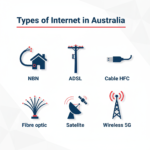
The NBN isn’t one technology, it’s six. Depending on where you live, the connection from your house to the NBN’s fibre backbone might run over pure fibre, fibre and copper, an old Foxtel cable, a wireless tower or a satellite. You don’t get to choose which one, NBN Co assigns it based on what infrastructure already exists in your area.
The connection type you’ve got has a big impact on how fast your internet can actually be, and which NBN speed tiers you’re eligible for. This article walks through each of the six, what they look like, and how they perform.
For a broader overview of broadband in Australia (NBN, ADSL, 5G, Starlink and the rest), see our NBN vs Broadband vs Wireless guide.
Quick comparison
| Connection type | Max speed available | Typical evening speed | Reliability |
|---|---|---|---|
| FTTP (Fibre to the Premises) | 2000 Mbps | Excellent | Excellent |
| HFC | 1000 Mbps | Very good | Very good |
| FTTC (Fibre to the Curb) | 250 Mbps | Good | Good |
| FTTB (Fibre to the Building) | 100 Mbps | Good | Good (varies by building) |
| FTTN (Fibre to the Node) | 100 Mbps (often capped lower) | Variable | Variable |
| Fixed wireless | 100 Mbps | Good | Weather-dependent |
| Sky Muster satellite | 50 Mbps (Sky Muster Plus) | Modest | Weather and obstruction dependent |
The short answer: which NBN connection type is best?
If you have a choice (which you usually don’t), the ranking is straightforward:
- FTTP — fastest, most reliable, future-proof.
- HFC — almost as fast as FTTP in practice, supports NBN 1000.
- FTTC — fibre right up to your kerb, then a tiny bit of copper. Decent speeds.
- FTTB — common in apartment blocks. Performance depends on the internal building wiring.
- FTTN — fibre to a street cabinet, then up to several hundred metres of copper. Performance varies a lot.
- Fixed wireless — works well in regional areas but speed depends on signal strength and weather.
- Sky Muster satellite — slowest of the lot, but often the only option in remote Australia.
If you’re on FTTN and want better speed, you may be eligible for a free upgrade to FTTP under the NBN’s ongoing upgrade program. More on that below.
Fibre to the Premises (FTTP)
Fibre optic cable is installed all the way from the local NBN node into your house. There’s no copper involved at all. This is the fastest and most reliable type of NBN connection.
FTTP supports every speed tier the NBN offers, up to the new 2000 Mbps tier. In practice, most FTTP households end up on NBN 100 or NBN 250, but the option to go faster is there if you need it.

Good for: Power users, heavy gamers, large households, 4K streaming, work from home.
Drawbacks: None really. This is the best NBN connection you can get.
Fibre to the Curb (FTTC)
Fibre optic cable runs all the way to a small NBN distribution point in the kerb or driveway outside your house. From there, the existing copper phone line carries the signal the final few metres into the building.
Because the copper run is so short, FTTC usually delivers speeds close to FTTP. FTTC supports speed tiers up to NBN 250.

Good for: Most household needs, including 4K streaming and gaming.
Drawbacks: Slightly more variable than FTTP. Slower than HFC in some cases.
Fibre to the Node (FTTN)
Fibre runs to a street cabinet shared by your neighbourhood, then the existing copper phone line carries the signal from that cabinet to your house. The copper run can be anywhere from 50 metres to over a kilometre, depending on where you sit relative to the cabinet.
The further you are from the node, the slower your connection. FTTN officially supports up to NBN 100, but if your copper run is long or the line quality is poor, you might be capped at NBN 50 or even NBN 25. This is the most variable NBN connection type.

Good for: Households close to the node with good copper. Web browsing, HD streaming.
Drawbacks: Speeds drop with distance from the node. Older copper lines can be unreliable. Almost always slower than FTTP/HFC/FTTC.
Fibre to the Building (FTTB)
This one only applies to apartment buildings. Fibre runs to a central communications room in the building, and the existing internal phone wiring carries the signal from there to each apartment.
FTTB supports up to NBN 100. Real world performance depends heavily on the age and condition of the building’s internal wiring.

Good for: Apartment dwellers in well-wired buildings.
Drawbacks: Speeds are limited by the building’s internal infrastructure, not by NBN itself.
HFC (Hybrid Fibre Coaxial)
HFC uses the existing coaxial cable network that used to deliver Foxtel and other pay TV services. Fibre runs to a node in the street, and the coax cable handles the last leg into your house.
HFC is fast. It supports speeds up to NBN 1000 and performs more like FTTP than like FTTN in practice. The coax can handle high bandwidth without the distance penalty that copper phone lines suffer from.

Good for: Heavy streaming, gaming, multi-person households on NBN 100, NBN 250 or NBN 1000.
Drawbacks: Some HFC areas have had history with intermittent dropouts during heavy peak load, but reliability has improved significantly since the early rollout days.
Cable vs NBN — what’s the difference?
This is a common point of confusion. “Cable internet” used to be a separate product offered by Telstra and Optus over their pay TV cable networks. When the NBN rolled out, most of that cable infrastructure was bought by NBN Co and rebranded as HFC.
So in 2026, if you’re getting internet over a coaxial cable in Australia, it almost certainly is the NBN. The “Cable” label is just a leftover term. What you’ve actually got is NBN HFC.
Fixed wireless
NBN fixed wireless delivers internet from a transmission tower to a small antenna mounted on the roof of your house. It uses dedicated wireless spectrum, not the public mobile network, and requires a clear line of sight to the tower.
NBN upgraded its fixed wireless network in 2023, and most fixed wireless connections now support up to NBN 100. Real world speeds depend on signal strength, weather, and how many other people in your area are using the same tower.

Good for: Regional and outer-suburban homes where running fibre isn’t practical.
Drawbacks: Heavy rain can degrade the signal. Speeds vary with tower load.
Sky Muster satellite
Australians in regional and remote areas can connect to the internet via NBN’s Sky Muster satellite service. Two geostationary satellites about 36,000 km above the earth provide coverage to the parts of Australia that fixed-line and fixed wireless can’t reach. A satellite dish must be installed on your house to receive the signal.
Sky Muster Plus, the upgraded service tier, now supports speeds up to 50 Mbps in some areas. Double what it was a few years ago. Latency is still high (around 600 ms) due to the distance the signal has to travel, which makes real-time tasks like video calls and online gaming painful.

Good for: Remote properties with no other option.
Drawbacks: Slowest NBN connection. High latency makes video calls difficult. For rural users with $599 spare, Starlink is usually a better option now.
How do I find out what NBN connection I have?
The easiest way is the NBN Co address checker:
- Go to nbnco.com.au.
- Enter your address into the “Check your address” tool.
- The result page will tell you your connection type (e.g. “Fibre to the Premises”) and what speed tiers are available.
You can also ask your current internet provider. They’ll have this information on file for your address.
Can I upgrade my NBN connection?
If you’re on FTTN, FTTC or some HFC connections, you may be eligible for a free upgrade to FTTP. NBN Co has been running this upgrade program since 2020 and around two million Australian homes have been upgraded so far.
The way it works: you order a higher speed tier (NBN 100 or above) from your internet provider. If your address is in an eligible upgrade zone, NBN Co schedules a technician visit and installs fibre to your house. There’s no cost to you. The upgrade is funded by NBN Co.
Check the NBN Co address checker (link above). If your address shows “FTTP upgrade available”, you’re eligible.
Whichever fixed line connection you have (FTTP, FTTC, FTTN, FTTB or HFC), most providers charge the same price for the same speed tier. Here are the cheapest unlimited NBN plans going right now.

|
Value
25 Mb/s
Unlimited data
|
$44.9/mth
for 6 mths,
then $69.9/mth |
Go to site |

|
Everyday
25 Mb/s
Unlimited data
|
$45/mth
for 6 mths,
then $72/mth |
Go to site |

|
Basic - nbn 12/1
12 Mb/s
Unlimited data
|
$73/mth | Go to site |

|
Value
25 Mb/s
Unlimited data
|
$78/mth | Go to site |
|
|
Basic Plus - nbn 25/10
25 Mb/s
Unlimited data
|
$79/mth | Go to site |
| Click here to view more NBN plans | |||
Frequently asked questions
What’s the difference between FTTN and FTTP?
FTTN uses fibre to a street cabinet shared with your neighbours, then copper phone line for the last leg to your house. FTTP uses fibre all the way into your house with no copper at all. FTTP is faster, more reliable, and supports higher NBN speed tiers.
Is HFC slower than FTTP?
In theory, no. Both support NBN 1000. In practice, FTTP is slightly more consistent during peak hours, but the difference is small for most users.
What’s the fastest NBN connection?
FTTP. It’s the only connection type that supports the new NBN 2000 speed tier, and it’s the most reliable. HFC comes a close second.
Can I get FTTP at my address?
Check the NBN address checker. If your address shows FTTP availability or FTTP-on-demand eligibility, yes. If you’re on FTTN/FTTC and the upgrade is offered for your area, you can request it for free when you order a higher speed plan.
Which NBN connection do most Australians have?
FTTN was the most common during the original rollout (around 4 million homes), followed by FTTP (~3 million), HFC (~1.5 million), then FTTC, fixed wireless and Sky Muster. The FTTP upgrade program is gradually shifting the balance toward FTTP.
For more help choosing the right NBN plan for your connection, see our NBN plan finder, the 10 cheapest unlimited NBN plans, or the guide to the fastest NBN plan available. Or, if you want the full overview, start at our NBN vs Broadband vs Wireless guide.