Last updated: 16 May 2026
Getting connected to the NBN in 2026 is usually straightforward. If the property already has an active NBN connection, you can be online within a few days of signing up. If it’s a new build or has never been connected before, expect 2–3 weeks and probably a technician visit. The actual installation work is paid for by NBN Co. You don’t get billed for the technician.
This guide walks through the whole process from checking your address to running your first speed test. For the bigger picture of what NBN is and how it compares to wireless and satellite, see our NBN vs Broadband vs Wireless guide.
The process at a glance
- Check what NBN connection is available at your address.
- Choose an internet provider and a speed tier.
- Sign up — over the phone, online, or in-store.
- Either self-install (most existing connections) or wait for a technician visit (new builds and some new connections).
- Plug in your modem.
- Test the connection.
Step 1 — Check what NBN is at your address
Before you sign up, find out what kind of NBN connection your address has. This determines what speed tiers you can actually use.
Go to the NBN Co address checker at nbnco.com.au. Type in your address and the result page will tell you:
- The connection type (FTTP, FTTC, FTTN, FTTB, HFC, fixed wireless or Sky Muster).
- Whether the property is already connected.
- What speed tiers are available.
- Whether your address is eligible for the free FTTP upgrade program (if you’re on FTTN).
Each connection type behaves differently. If you want a deeper look at the technologies and their speeds, our guide to the different types of NBN connections covers each one in detail with diagrams.
Step 2 — Choose a provider and plan
Once you know what connection type you have, you can pick a plan that suits your household. The main things to compare:
- Speed tier — NBN 25, 50, 100, 250, 1000 or 2000 Mbps. NBN 50 or NBN 100 is the sweet spot for most households.
- Monthly price — typical 2026 prices run from around $55/month for NBN 25 up to $130/month for NBN 1000.
- Contract length — most plans are month-to-month with no lock-in. Avoid 12 or 24-month contracts unless the discount is significant.
- Typical evening speed — the speed you’ll actually get between 7pm and 11pm. This matters more than the maximum.
- Modem options — provided by the ISP or BYO (more on this below).
- Customer support — Australian-based vs offshore, phone vs chat.
Our guide to choosing a broadband plan walks through the trade-offs. To browse actual plans side by side, try the NBN plan finder or check the list of the 10 cheapest unlimited NBN plans.
Step 3 — Sign up
Most providers let you sign up online in 10 minutes. You’ll need:
- Your address (already verified in step 1).
- ID — driver’s licence or Medicare card.
- A payment method.
- A decision on the modem — buy from the provider, BYO, or have one supplied as part of the plan.
A few things worth knowing at sign-up:
- Modem supplied vs BYO. Most providers will offer to supply a modem (sometimes free with a 12-month contract, sometimes $99–$200 outright). You can also bring your own NBN-compatible modem if you already have one. Our BYO modem setup guide covers this.
- Activation timing. If the property is already NBN-active, your connection can usually be activated within 1–5 business days. New connections take 2–3 weeks.
- Number porting. If you want to keep your landline number, mention it at sign-up. Not all providers offer landline (VoIP) anymore.
Step 4 — Self-install or technician visit?
This depends on the connection type and the state of the property.
Self-install (most common in 2026):
- FTTN, HFC, FTTB and fixed wireless connections are usually self-install if the property has been connected before.
- The NBN box is already on the wall. You just plug in your modem.
- Your provider posts you the modem; you set it up yourself.
Technician visit required:
- New builds and properties that have never been NBN-connected.
- Most FTTP installations.
- Any installation where wiring needs to be run inside the house.
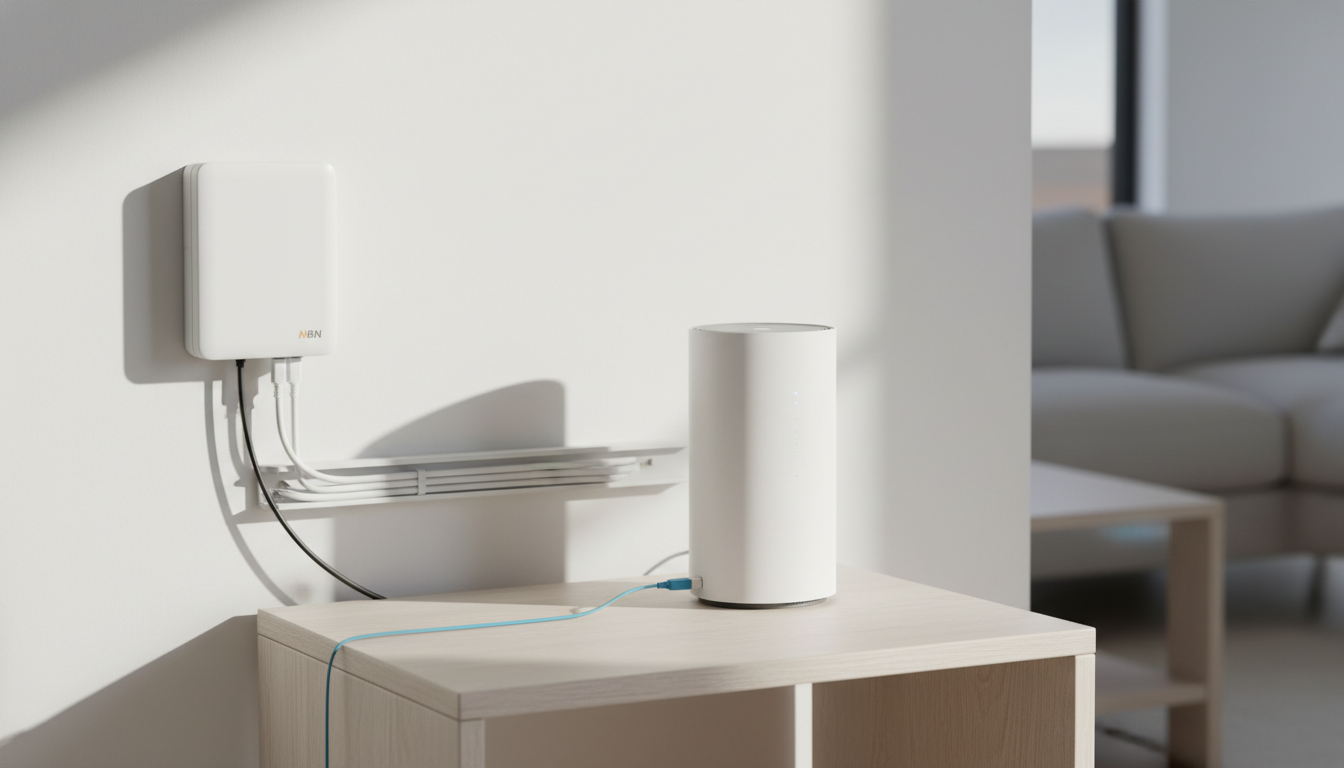
If a technician is needed, NBN Co schedules the appointment after you sign up. You’ll get a 4-hour window. Someone needs to be home over 18 years old. The technician installs the wall box (the NBN connection device, or NTD) and verifies the line. It usually takes 1–2 hours.
There’s no cost to you for the standard technician visit. NBN Co pays for it. Extra wiring runs inside the house may incur a fee.
Step 5 — Plug in your modem
Once the NBN connection is active and you have your modem, the setup is usually:
- Plug the modem’s WAN/internet port into the correct port on the NBN box (the wall-mounted NTD).
- Plug the modem into a power point.
- Wait 5–10 minutes for the modem and the NBN connection to negotiate.
- Connect a device to the modem’s Wi-Fi using the password printed on the modem.
The exact ports and instructions depend on your connection type. For FTTN, the NBN connects to the modem via a phone style cable into the DSL port. For FTTP, FTTC, HFC and fixed wireless, it’s an Ethernet cable into the WAN port.
NBN box light meanings
The NTD has a few status lights. The two main ones to watch:
- Power — solid green = on.
- Status / Optical / UNI-D1 — solid green = connected. Flashing red or amber = problem.
If lights aren’t right after 10 minutes, give it 30 minutes (some new connections take time to fully activate). Still not working? See the troubleshooting section below.
Step 6 — Test your connection
Once the modem’s Wi-Fi is live and you can browse the internet:
- Connect a laptop or PC to the modem by Ethernet cable if possible (more accurate than Wi-Fi for a speed test).
- Go to fast.com or speedtest.net.
- Run a test. Compare the result to the speed tier you signed up for.
For an NBN 100 plan, you should be seeing around 80–95 Mbps download on FTTP/HFC. FTTN tends to deliver less, especially during peak hours. Our guide to NBN speed tests covers what to expect and how to read the results.
How long does it take?
Rough timelines for 2026:
- Existing NBN-active property: 1–5 business days from sign-up to activation.
- NBN-ready but not currently active: 1–2 weeks.
- New build or never connected: 2–3 weeks, occasionally longer.
- Sky Muster satellite install: 2–4 weeks (technician needs to install the dish).
If a provider promises “same-day activation” it almost always means the property is already active and you just need a modem.
How does the NBN actually connect to my house?
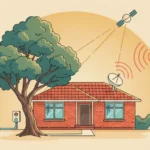
Behind the scenes, every NBN connection has two parts: the NBN network (fibre cables, street cabinets, towers, satellites), and the NTD (the wall-mounted box inside your house that’s the boundary between NBN’s network and yours).
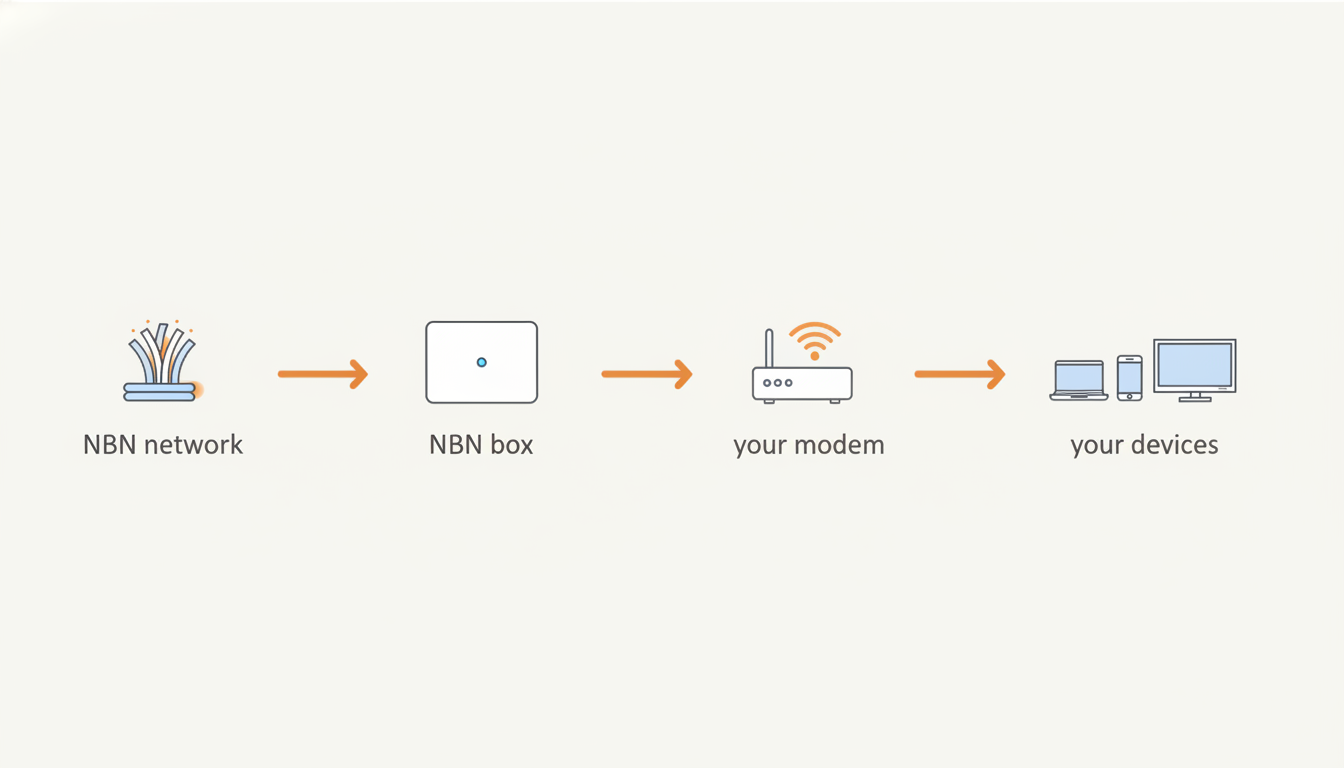
The NTD has a few ports on it. Your modem plugs into one of those ports. The modem then talks to your devices over Wi-Fi or Ethernet. NBN owns and maintains everything up to and including the NTD. Your provider is responsible for everything beyond. The modem, the Wi-Fi, the support.
What the physical connection looks like depends on your address. Fibre cable, copper phone line, coax cable, wireless antenna or satellite dish. Each one is covered in detail in our NBN connection types guide.
Connecting at a new house or new build
If you’re moving into a new build or a house that’s never had NBN, the process is similar but takes longer:
- NBN Co usually installs the connection during construction or shortly after. Check the address on the NBN Co address checker — it should show “FTTP available” or similar.
- Once the property is on the NBN, sign up with a provider.
- Most new builds need a technician visit to install the indoor wall box (the NTD) and run the fibre lead-in if needed.
- Allow 3–4 weeks for the whole process if it’s a brand-new connection.
What if it doesn’t work?
If you’ve plugged everything in and you’ve got no internet, work through this checklist first:
- Check the NBN box lights. Power should be solid green. Status should be solid green.
- Check the modem lights. Power and internet lights should both be solid (not flashing).
- Check the cables. WAN/internet port on the modem, correct port on the NBN box.
- Restart everything. Power off the modem and NBN box for 30 seconds, then power back on.
- Wait 10 minutes after restart. New connections sometimes take time to provision.
If it’s still not working, your provider’s support team can run a line test from their end. If the NBN connection itself has dropped out or there’s an outage in the area, our guides on what to do when the NBN keeps dropping out and how to check NBN outages might help.
Frequently asked questions
Do I need a technician to install the NBN?
Sometimes. If the property has been NBN-connected before, you can usually self-install. New builds and many FTTP installations need a technician. Your provider will tell you which applies after you sign up.
Can I keep my old modem?
Depends on the connection type. For FTTP, HFC, FTTC, fixed wireless and Sky Muster, any modem with an Ethernet WAN port can work. For FTTN, you need a modem with a built-in VDSL2 modem. See our BYO modem guide for the details.
How much does it cost to get NBN installed?
The standard installation is free. NBN Co covers it. The only costs are your monthly plan, your modem (if you don’t BYO), and any optional extras like wiring runs inside the house.
What is an NTD?
NTD stands for Network Termination Device. It’s the wall-mounted box that’s the boundary between NBN’s network and yours. Sometimes called the “NBN box”. Different connection types have different looking NTDs, but they all do the same job.
How long does NBN take to activate?
1–5 business days if the property is already active. 1–2 weeks if it’s NBN-ready but not currently active. 2–3 weeks for new builds.
Can I get NBN if I rent?
Yes. The NBN connection belongs to the property, not the tenant. You can sign up with any provider and use the existing connection. If the property hasn’t been NBN-connected before, you may need permission from your landlord for the installation.
For more help: see our hub guide on NBN, broadband and wireless internet, our guide to choosing a broadband plan, or the NBN plan finder and comparison tool.